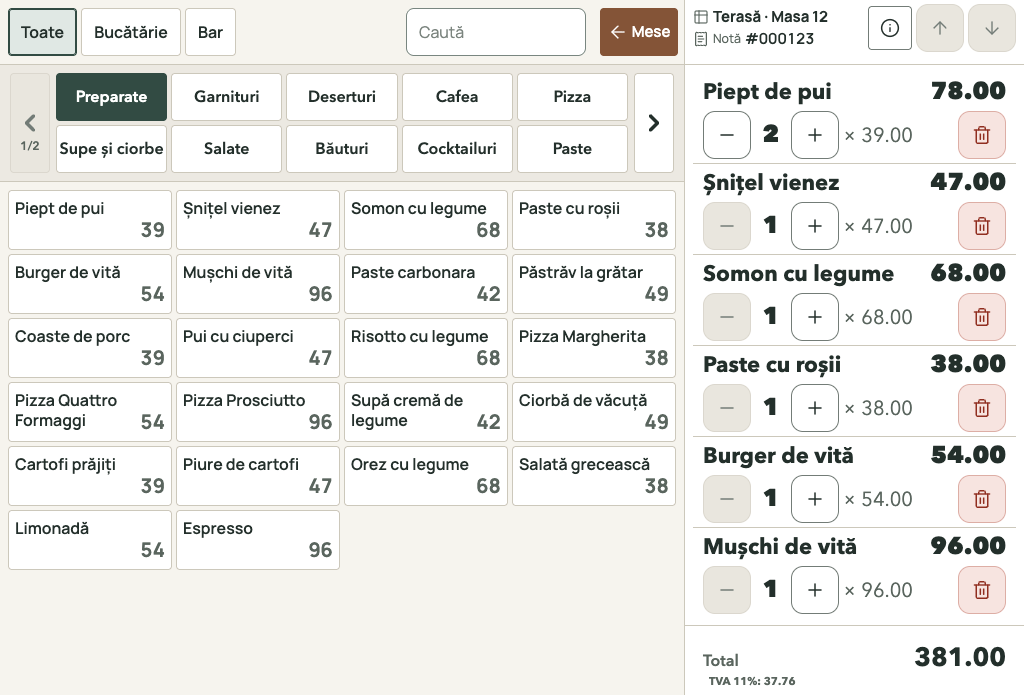
When customers order at the counter
Your operator selects products from the menu, follows the order and takes payment at the point of sale. Coffee, drinks and snacks are organised by category, with the prices set for your venue.

POS software for bars and cafés
Connect your bar or café’s menu, orders and inventory with RostPos. Sell on Windows or Android, take waiter orders on Android and manage your venue in a browser, without installation.

The image could not load. You can reload the page to view it.
Your operator selects products from the menu, follows the order and takes payment at the point of sale. Coffee, drinks and snacks are organised by category, with the prices set for your venue.
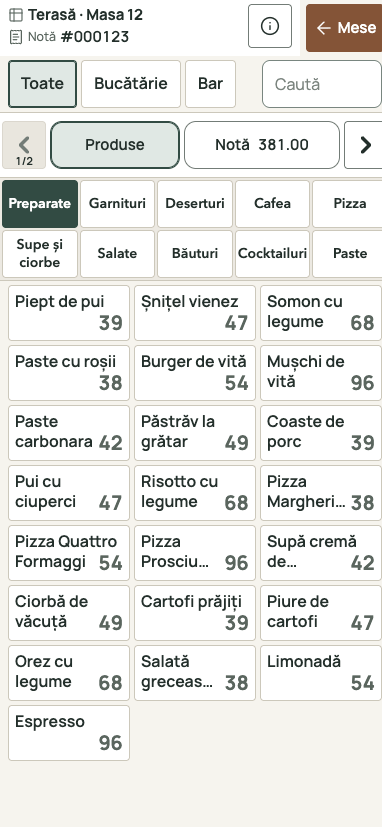
Organise your venue’s tables and follow each table’s bill. Waiters can take orders with the RostPos Waiter app for Android. Ordered products enter the bar and kitchen workflow, while payment takes place at the point of sale.
An espresso sold also means coffee consumed. A delivery of goods means stock received. RostPos connects the menu with the records behind your bar.
Group coffee, tea, soft drinks, cocktails and snacks into categories. Manage products and prices in the same catalogue your team uses for sales.
Products and categoriesFor a latte or a cocktail, define ingredients, quantities and units of measure. Recipes connect products sold with the consumption of raw materials.
Recipes and consumptionRecord suppliers and goods receipts, including Romanian NIR documents. Received coffee, milk and drinks enter the records for the stock area you use.
Goods receipts and NIRFollow recorded quantities and goods movements. During stocktaking, compare what you count at the venue with system records and investigate differences.
Stock and stocktakingReview product sales, payments and waiter activity. Follow what was sold and the associated consumption alongside your venue’s other operations.
Management reportsOpen RostPos in a browser on a phone, tablet or laptop and sign in. Access your catalogue, prices, inventory and reports without installing the management application on every device.
Cloud managementThe point of sale runs on Windows or Android. The RostPos Waiter app for taking orders runs on Android. Management is available in a browser and in the Windows or Android application; Web access does not require installation.
Yes. Configure ingredients and quantities in each product’s recipe. The recipe connects a drink sold with raw-material consumption, while goods receipts and stocktaking complete your stock records.
During the demonstration, we discuss your menu, counter or table service, sales terminals and existing equipment. We check compatibility requirements and agree the configuration and commercial terms in a quotation for your venue.
Leave your phone, venue name and business tax ID. We will contact you for a demonstration based on the way your team works.